
A lot of contractors push every lead toward the form, because a form fill is easy to report back to the ad platforms. Calls matter just as much, often more. Plenty of homeowners do not want to fill out a form. They are busy or driving, and they want to pick up the phone, make sure a real person answers, and see if they can get an appointment. On most accounts we open, those calls are not written down anywhere, and nobody can say which ad, keyword or landing page produced them.
Call tracking fixes that, and it is the first thing we install. We set it up here for Deck Norris, a made-up deck builder we use for every example in this series. The video is the full install on an existing website. The written steps under it are the same install, to keep open while you work.
Why call tracking comes first
What you want to know is which phone calls turned into a booked appointment, an issued appointment or a sale. Without call tracking there is no way to do that at scale. A one-off number on the truck or a billboard is easy enough to keep track of. Ad platforms are different. You can get hundreds of clicks a day, and you need to know which campaigns, keywords, ads and landing pages are producing the calls.
Once calls carry a source, you can send conversions back to the ad platforms with a value on each one. For example, a call might be worth $20, a form fill $50, a booked appointment $100, an issued appointment $200, and a sold job more than all of them. Sending all five does two things.
- It gets you over the platforms’ minimum. The ad platforms need a certain volume of conversions before their bidding can learn. If you close a few jobs a month and send back only the sales, you never reach it, and the campaign stays stuck learning. The lower-value conversions supply the volume.
- It teaches the platforms what a lead is worth. As the higher-value conversions come in, the bidding learns which campaigns produce sales worth ten times what a call is worth, and goes after more of them. That is how you outbid competitors and scale faster than someone guessing at what works.
Call tracking also needs nothing else in place. No CRM, no new website, no new form. For a small contractor CallRail runs roughly $50 to $100 a month.
How it works
CallRail gives you tracking numbers that forward to the phone you answer. The caller dials a tracking number, your phone rings, and CallRail records which number was dialed and what brought the caller there. Deck Norris uses two kinds.
| Number | What it is | What it does |
|---|---|---|
| Main line | One tracking number, not tied to any ad | The company’s published number, on the website and everywhere else |
| Website pool | A pool of tracking numbers, 4 to 50, shown to website visitors (CallRail calls it a session tracker) | Swaps in for the main line on the website, so each visitor sees their own number |
The website pool is where call tracking pays for itself. It ties each call to the visit that produced it: the source (Google paid, Google organic, Bing, a referring site like Yelp), the landing page, and for paid search, the keyword and the gclid. That is what lets you tie incoming calls to ad spend, and later to appointments and sales.
You do not need to tag your ad URLs for any of this. Google Ads, Bing and Meta all tag their own ad clicks automatically, so there is nothing to add to those ads. Leave auto-tagging on in Google Ads, which is the default.
Lead services like Angi and Thumbtack work differently, because the homeowner calls a number on the lead service’s profile, not the one on your website. We cover those numbers later in the series.
Setting it up, step by step
1. Create the main line first
The biggest mistake we see is putting the owner’s cell phone on the website and then trying to add call tracking to that. Set up a new main line for the company instead, for two reasons.
- If you ever sell the company, the number goes with it, and it is not your personal cell.
- If someone else starts answering the phone, like an answering service, an operations person or a salesperson, you do not have to go through the website swapping out every instance of your cell. You change where the main line routes in CallRail, and where texts go, and you are done.
Once your CallRail account is open, create a new number, choose somewhere else, then other.
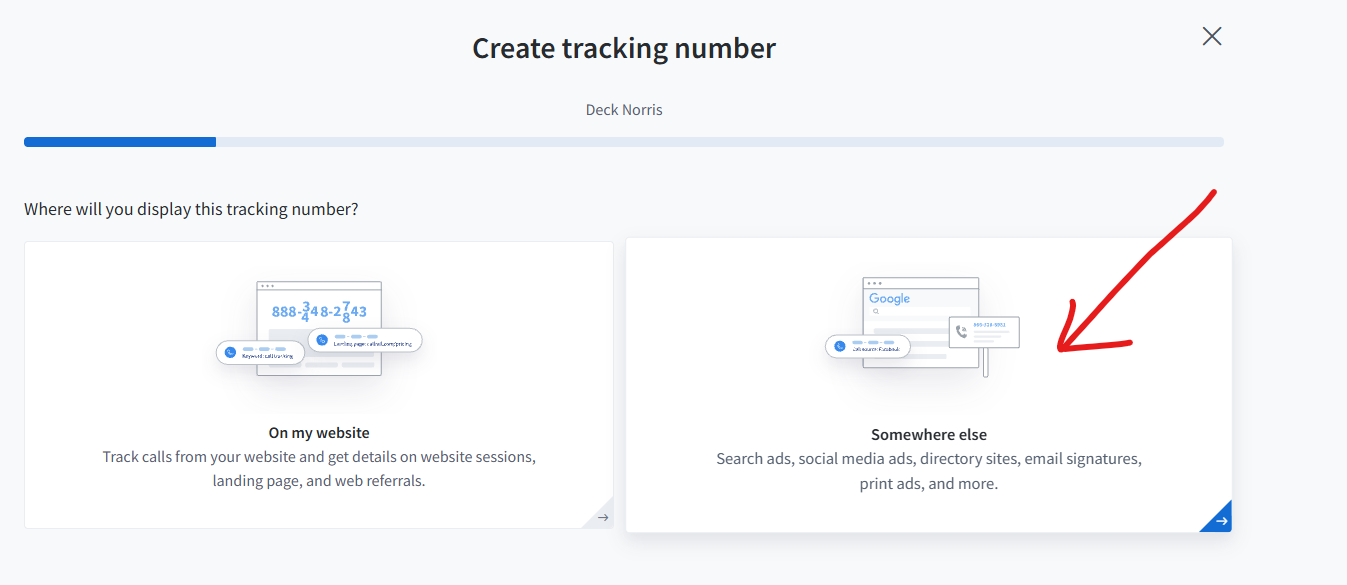
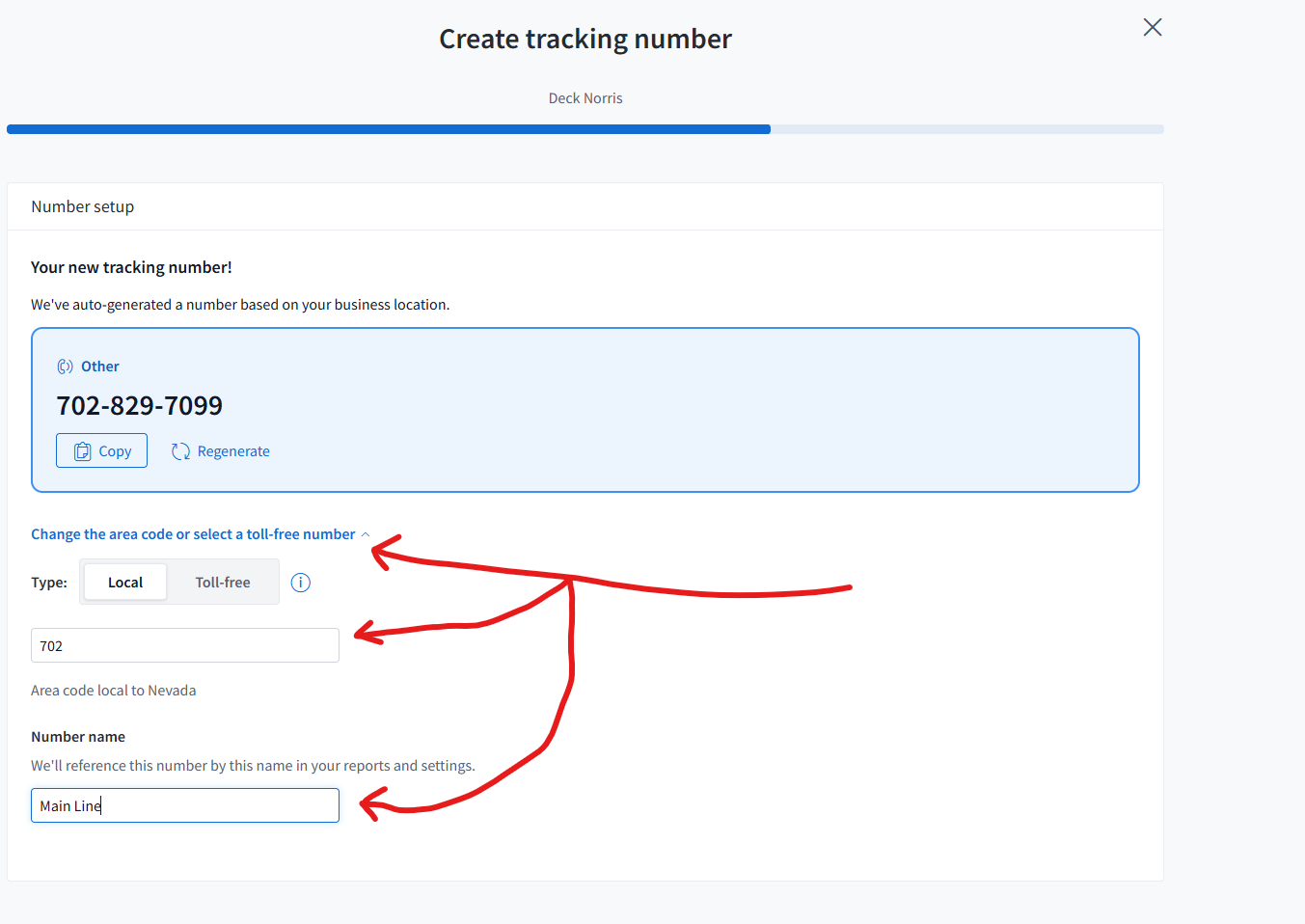
Pick the area code. We match the area code of the service area, so Deck Norris has a Las Vegas number. A toll-free number works too, for a couple of dollars a month. Name it Main Line.
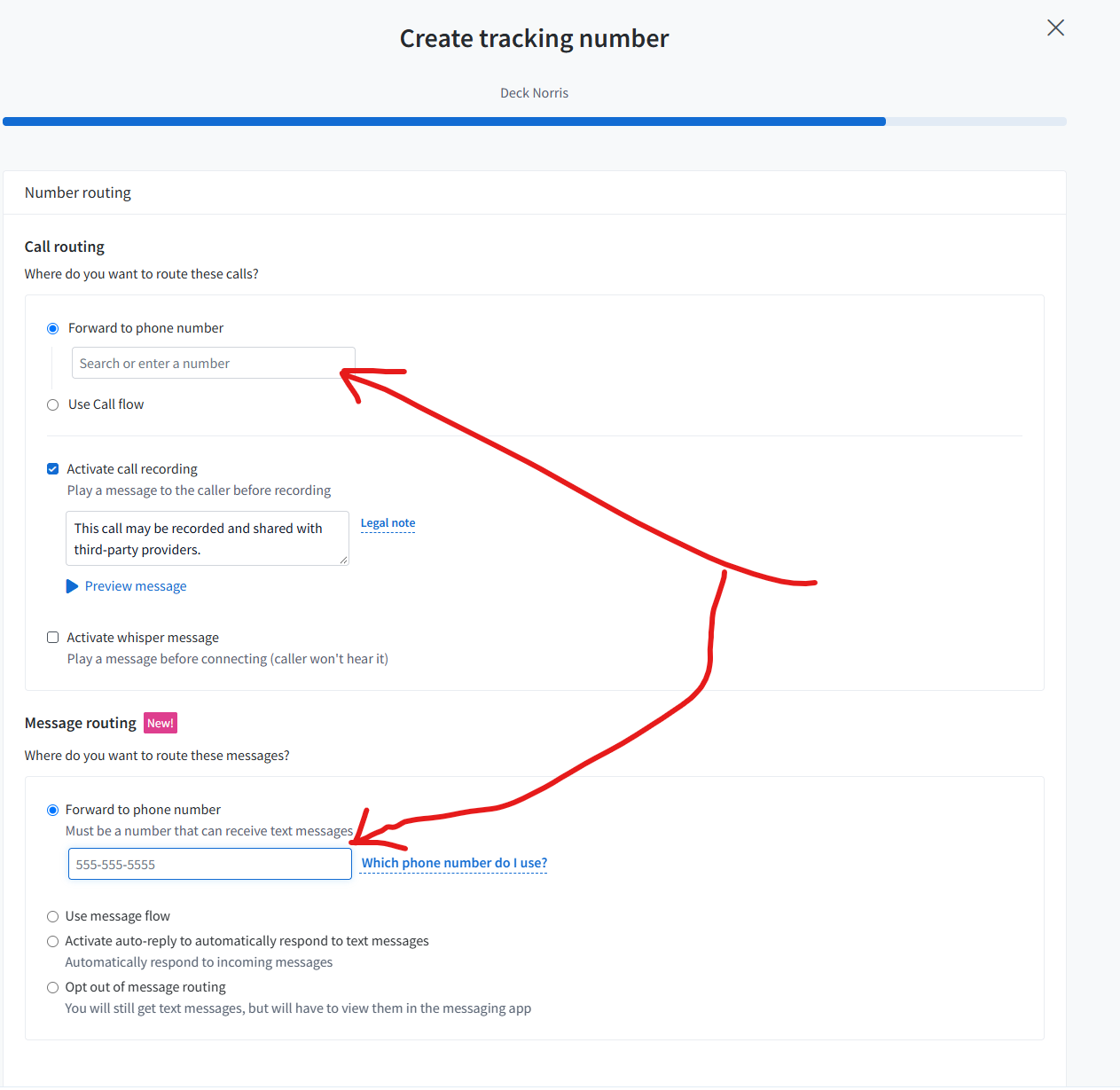
Then set the number routing:
- Destination: the phone that answers, the owner’s cell or the office line.
- Recording: on.
- Text messaging: on. You will not get many texts, but you will get some, and they are worth having.
- Whisper: we usually skip it on the main line. A whisper plays to whoever answers, something like “press one to accept a call from Deck Norris,” and it adds a short delay before the caller is connected. Instead we have business calls show the main line number when they ring through, and save that number in our phone contacts under the business name. When it comes up, we know it is a business call.
2. Put the main line on the website, once
Replace the phone number everywhere on the site with the main line number: the header, the footer, the contact page and every click-to-call button. This is the one time you edit the numbers on the site.
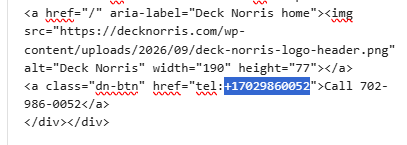
Check one thing while you are there. The phone number has to be text on the page. If it is part of an image, like a phone number baked into a header graphic, the snippet cannot see it and cannot swap it.
3. Create the website pool
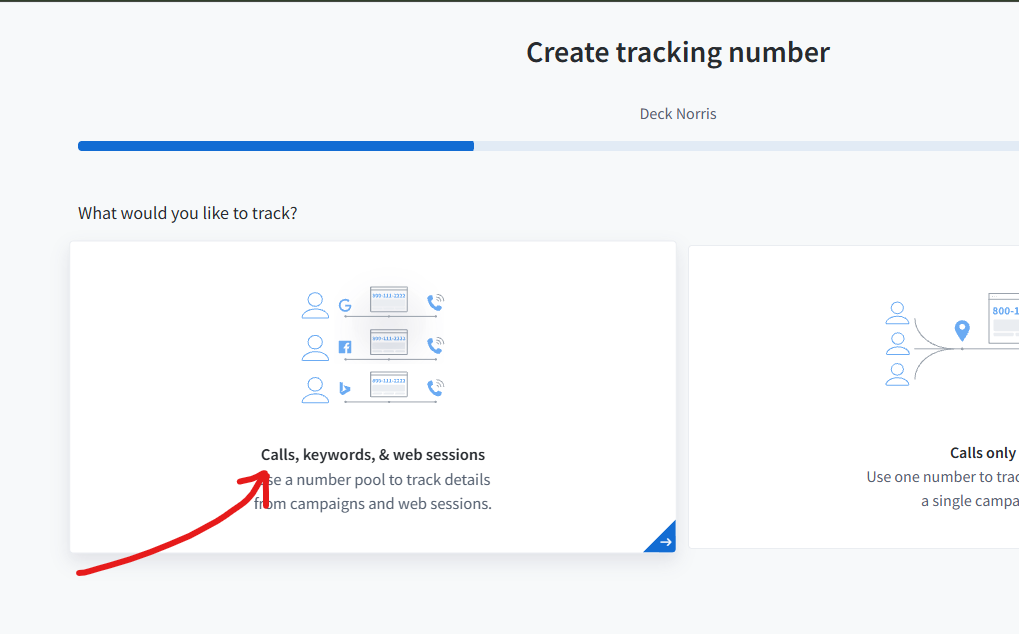
Create another number, this time for your website. This is the website pool, and it tracks calls, keywords and web sessions.
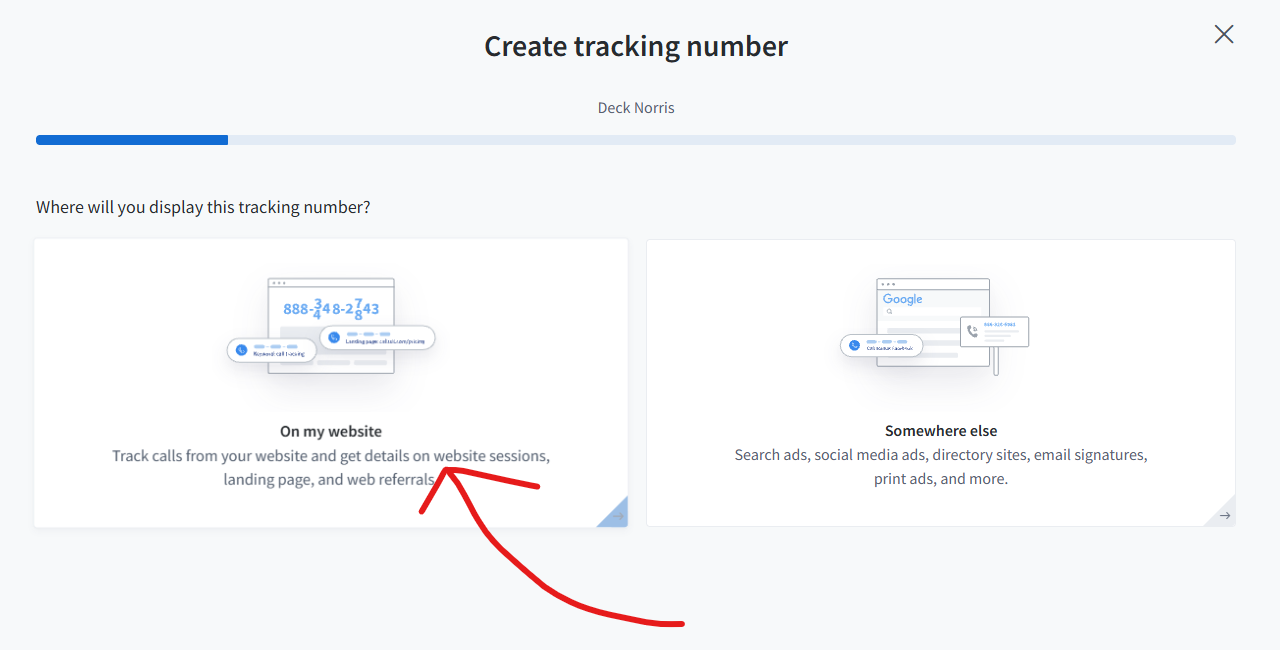
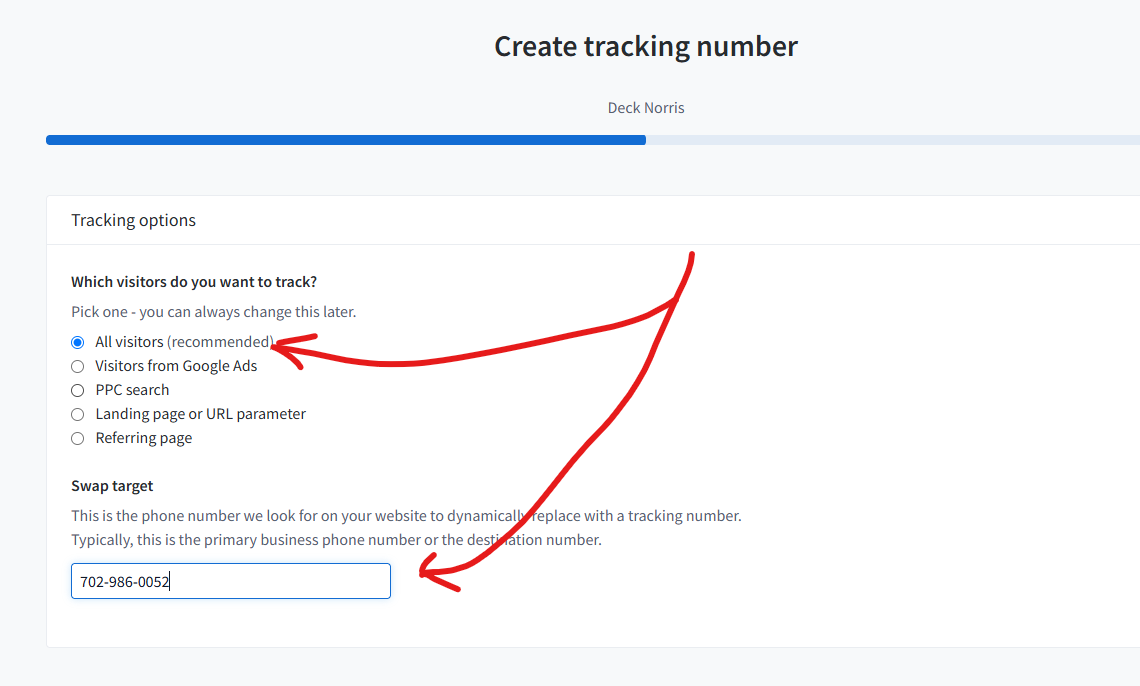
- Track all visitors, not only paid traffic. Some people come in from organic search, some from sites like Yelp or Reddit, and you want all of it.
- Set the swap target to the main line number. CallRail searches the page for every instance of the main line and swaps in a number from the pool.
- Set the pool size to your peak number of visitors on the site at the same time, not your average. If two visitors browsing at once see the same number, their calls can get credited to the wrong source.
- Forward calls straight to the phone that answers. Forwarding the pool to the main line also works, but it adds a second hop. When who answers changes, update the destination here and on the main line.
- Turn on recording and text messaging, the same as the main line.
- Ignore local swap. You do not need it.
4. Put the snippet on the website
If the site runs on WordPress, the easiest way is CallRail’s WordPress plugin.
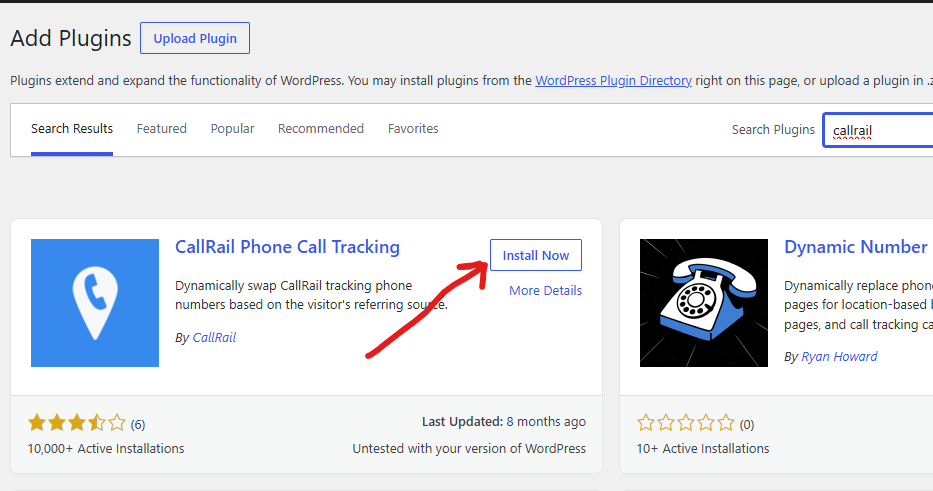
- In WordPress, search the plugins for CallRail, then install and activate it.
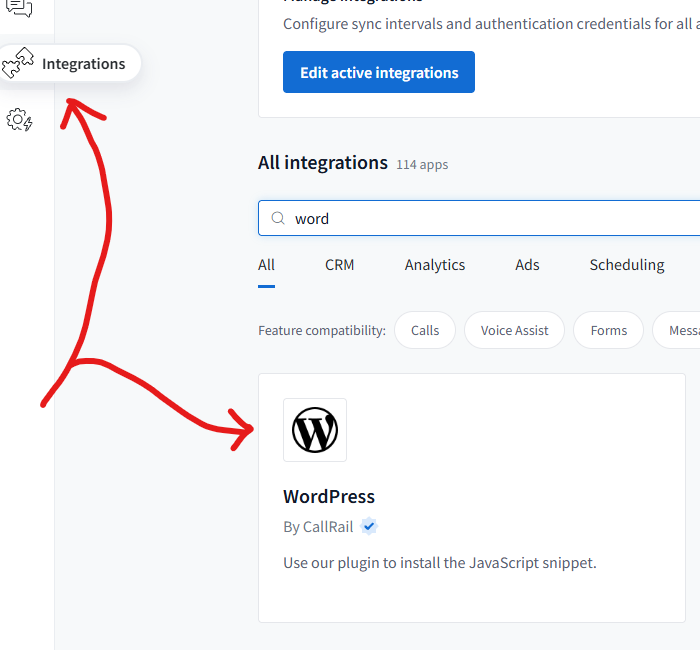
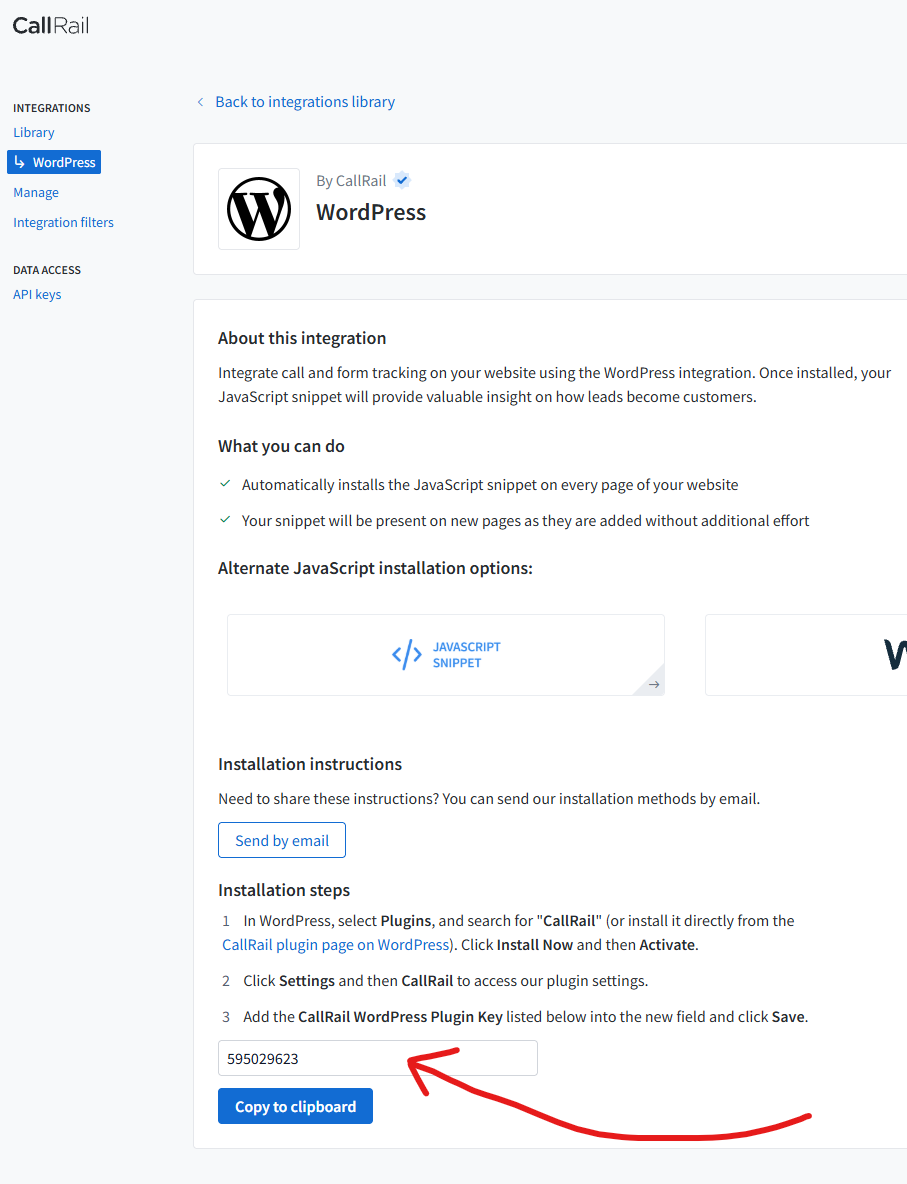
- In CallRail, go to integrations and find WordPress. It gives you a code.
- Paste the code into the plugin’s settings and save. The plugin does the rest.
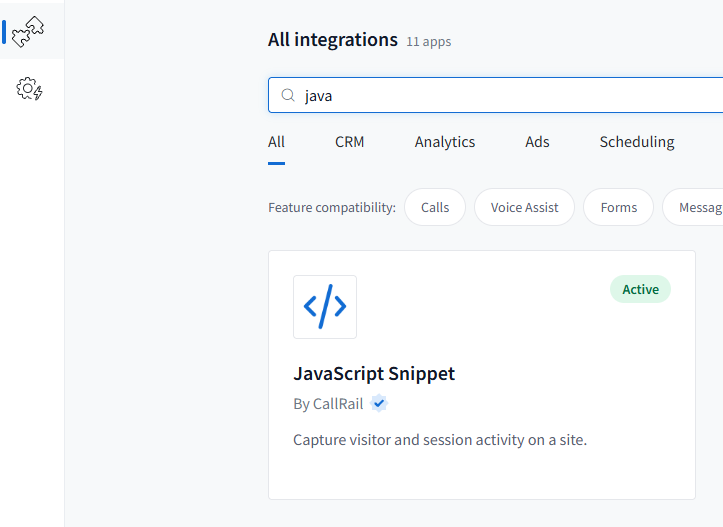
The other way is to copy CallRail’s JavaScript snippet and add it with a header and footer plugin like WPCode or Insert Headers and Footers. On the Deck Norris site we use WPCode and put the snippet in the footer. Google Tag Manager works too. However it gets there, it has to load on every page. Put it on one page and only that page will swap.
5. One-off numbers off the website
A number for the truck, the yard signs or a billboard is set up the same way as the main line: one number, named for where it lives. A tracking number used as the phone number on your Google Business Profile tracks calls from the listing. For the truck and the signs, the new number only helps on what you print or wrap next.
How you know it worked
CallRail has a tool for testing the snippet. It does not work with the WordPress plugin, and it did not work on the Deck Norris site either, so check it by hand.
- Open your website. The main line should be replaced by a number from the pool. If you watch closely, you can see it change as the page loads.
- In CallRail, open the website pool and look at which numbers are being shown. If none are swapping in, the snippet is not working.
- Visit the site from a Google search result and call the number on the page from your cell. It should ring through, and in CallRail the call should show the source (Google organic, in this case) and the page you landed on.
- Call the main line. It should ring through and show up in CallRail as the main line.
If all four hold, every call from the website now carries a source you can trust. Once your ads are running, spot-check a few paid calls and confirm they show the paid source and, for Google and Bing, the keyword.
What lands in CallRail
Every call now shows up in one place with the caller’s number, their name when available, city and state, which tracking number they dialed, whether it was answered, how long it lasted, the recording, and the source and landing page that produced it.
Mark junk calls as spam so they drop out of your reports. On real calls you can set a lead status, add tags and notes, and enter a dollar value. We use those later in the series, when we send conversion values back to the ad platforms.
What comes next
The next video covers form tracking, so a form fill lands next to the calls with the same source attached. After that, we hook both up to the ad platforms and start sending back conversion values, so you can run target CPA and return on ad spend bidding. That is a real edge over competitors bidding on keywords with no revenue data behind them.
What we saw
The account we inherited had one tracked lead source, every other deal recorded as direct or untracked, and no call tracking at all. This is the reference account, a deck builder we work with, not Deck Norris. Once calls carried a source next to the forms, the channels could be compared for the first time. Bing paid search returned 37.2x against spend and Google paid search returned 22.2x, Feb to May 2026. Without call tracking, that comparison does not exist.
Everything above is something you can set up yourself: a main line, the website pool and the snippet, and a test call to prove it. If you would rather we install it for you and keep it running, apply to work with us.
Build it yourself, or have us install it
Everything in this guide is free to build on your own. If you would rather have the whole engine installed and run for you, tracking, attribution, speed to lead, follow-up and the monthly channel table, apply and we will take a look at your market and your numbers. One company per market.